Household budget spreadsheet
A household budget spreadsheet is a simple way to see whether this month’s paychecks cover the bills, and how much you still need to set aside for costs that do not hit every month.
You do not need a bank connection or a budget app. A spreadsheet you fill in yourself — in Excel or Google Sheets — is enough if the numbers are honest and you update them when pay lands or a bill changes.
What to track
- Income for the month. Each paycheck or other amount you actually expect, with the date you expect it.
- Recurring bills. Rent or mortgage, utilities, insurance, subscriptions, minimum debt payments — anything that comes back.
- Sinking funds. Money you set aside each month toward a known later bill or goal: a car registration, a holiday, a new laptop, an annual insurance premium.
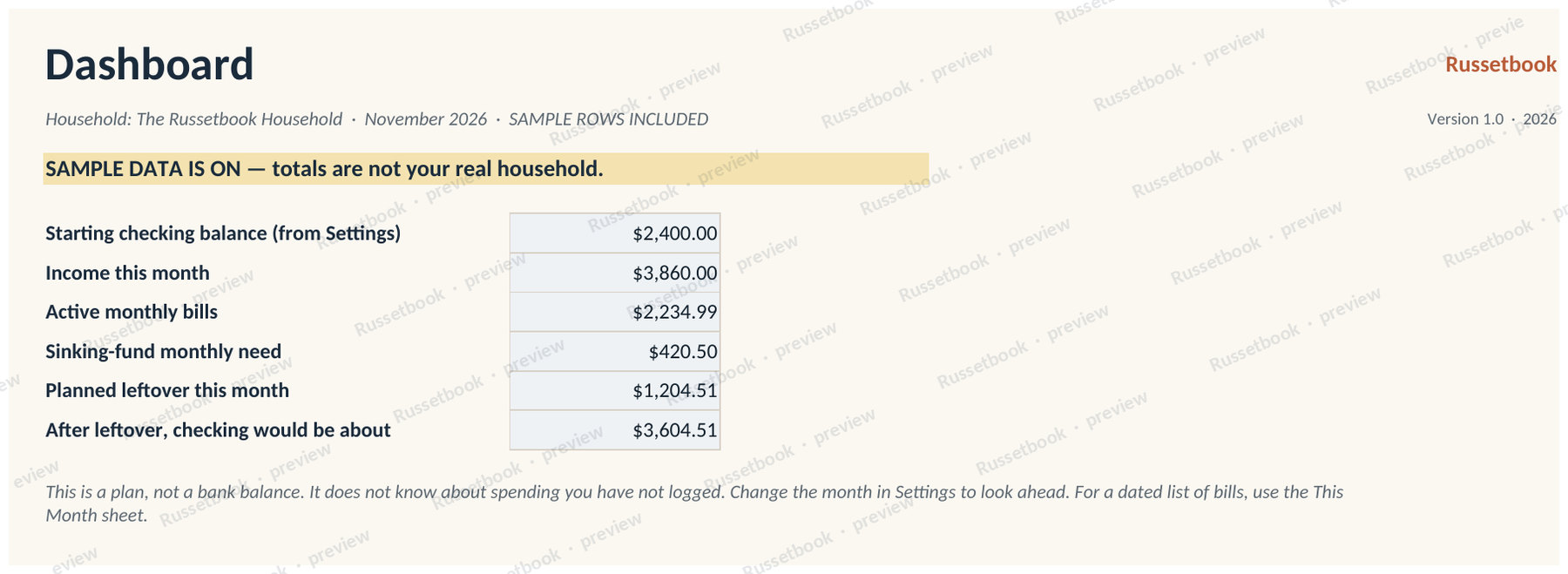
- The leftover. Income minus bills minus the sinking-fund need. If this number is negative, the plan does not cover the month yet.
A short how-to
- Pick one month. Write down every paycheck you expect in that month, and the date.
- List the bills that are due in the same month, with amounts. If a bill is annual, write down the monthly amount you want to set aside toward it.
- Add the sinking-fund amounts. A simple version is: (what you still need) ÷ (months left until the date).
- Subtract bills and sinking-fund need from income. That leftover is the plan, not a prediction of what you will actually spend on groceries or gas.
- When a paycheck arrives or a bill changes, update the sheet the same week. A budget you do not update is just a sketch.
Start with a free page
If you want a paper or spreadsheet start today, the free monthly income and expense ledger is a one-page list of money in and money out. It will not calculate sinking funds for you, but it is enough to see a month clearly.
Download the free ledger (PDF + CSV) About the free ledger
A spreadsheet that does this math for you
House Cash Calendar is a household budget spreadsheet for Excel and Google Sheets. You enter bills, sinking funds, and paychecks; This Month and the Dashboard show whether that plan covers the month you pick. Printable plan pages are included. Store links are coming soon.
If you open workbooks in a browser, see how to use a Russetbook spreadsheet in Google Sheets.
This is a record-keeping and planning guide, not tax, legal, accounting or financial advice, and not a substitute for official forms, tax software, or a qualified professional.